Resource Split
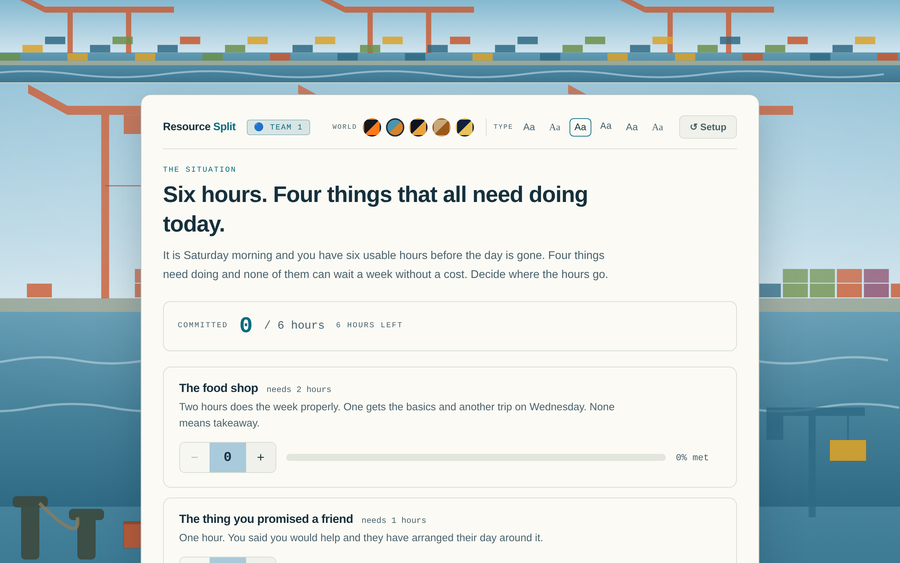
A triage activity with no correct answer. The room has fewer people, hours, or dollars than the situation needs, and teams decide how to split what they have across competing demands. Every allocation produces a different consequence on screen, and nothing gets served for free — the debrief is the activity. Six looks ship with it — the activity’s own, plus a beach, a card room, an arcade, a glasshouse and a summit, each drawn in the file itself with no images to load. Switch mid-session from the masthead; a saved copy keeps the one you chose.
- Problem
- Most training games test recall. Almost no operational work is a recall problem — it is triage under a shortage, where every option is defensible and something has to go unserved. Nothing in a quiz format asks a learner to choose what to sacrifice and then live with it.
- Who it helps
- Supervisors, team leads, and anyone being developed toward decisions about staffing, time, or budget — where the hard part is not knowing the right answer but choosing between several partly-right ones.
- In training
- Run it with teams and compare their splits side by side; the record at the bottom keeps every choice visible. The value is in asking a team to defend what they starved. Two scenarios ship with it — a Monday-morning staffing crunch and a quarterly training budget.
- Skills shown
- Constraint modeling, allocation UI with live budget enforcement, branching outcome text, comparative multi-team state, facilitation design, in-browser editing with persistent export.
How to edit
- Open it and click Edit this activity in the corner.
- Change the scenario title and the situation text, then set the budget and what a unit is called — people, hours, dollars, anything.
- For each demand, set how much it needs and write three outcomes: what happens if it gets nothing, something, or everything. Those three lines are where the teaching lives.
- Write the debrief line last. It appears after the split and is the question you actually want the room arguing about.
- Click Save my version for a copy with your scenarios built in — it opens the same way anywhere and can be emailed to another facilitator.