Reflex — Buzz-In Lockout Round
A rapid-fire buzzer game: read a question, open the buzzers, and the first team to hit its key locks everyone else out. Includes wrong-answer steals, an optional answer clock, a 3·2·1 false-start countdown, on-screen scoring with live buzzer lamps, and a solo beat-the-clock drill.
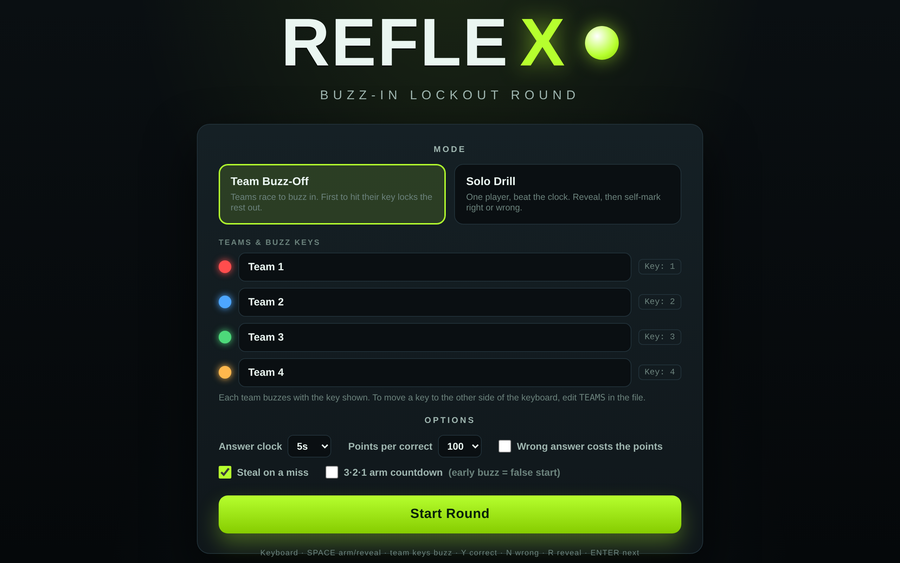
- Problem
- Quick-recall reviews lose energy fast, and the same few learners answer everything while the rest sit back.
- Who it helps
- Facilitators running recall reviews and refreshers — up to four teams racing on the buzzers, or one learner drilling solo against the clock.
- In training
- Arm the buzzers, let teams race to lock in, rule the answer Correct or Wrong, and — with steal on — throw a missed question open to the rest; scores and buzzer lamps update live on the projector.
- Skills shown
- Front-end build, lockout / buzzer state logic, retrieval-practice design, accessible keyboard play, trainer-editable template.
How to edit
- Right-click the file → “Open with” → a text editor.
- Scroll to the banner
★ EDIT YOUR GAME HERE ★near the top of the script. - Set
TEAMS(name, lampcolor, and buzzkey— use 2–4 teams; swap keys to spread them across the keyboard). - Fill
QUESTIONSwith eachqanda(add an optionalpointsfor a bonus question). Save, then open in a browser.