Knowledge Check — Self-Paced Review
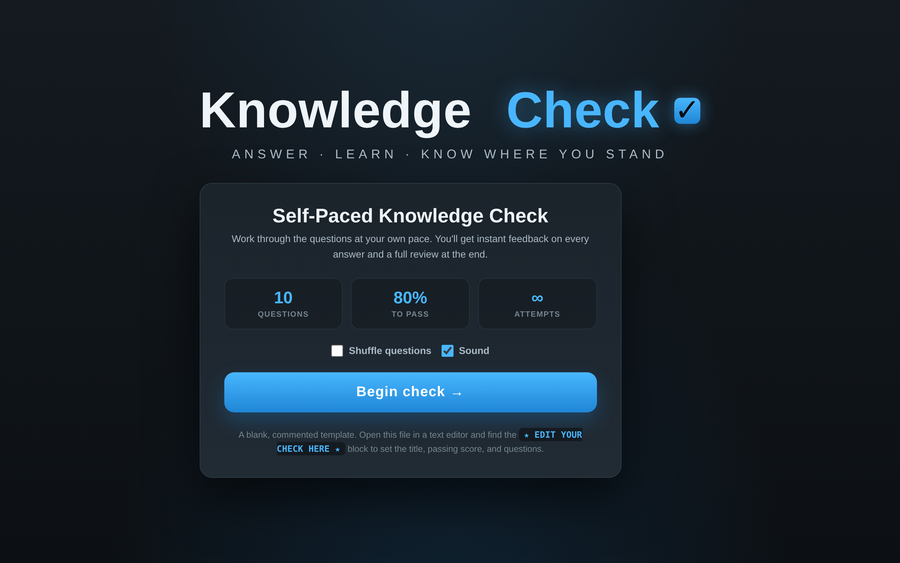
A self-paced multiple-choice check for one learner: pick an answer and the card locks with the right choice highlighted, your pick marked, and a one-line explanation — wrong answers teach instead of just buzzing. It ends with a pass/fail score ring, correct/missed counts, and a full question-by-question review so the learner leaves knowing what to restudy. Set the passing score; optional shuffle. Ships as a blank, commented template.
- Problem
- LMS quizzes hand back a score with no feedback in the moment — learners see they failed but not what they got wrong or why.
- Who it helps
- Self-paced learners taking a pre- or post-session check; trainers assigning a quick readiness gate.
- In training
- Open in any browser — no login. Each answer gives instant feedback and a short why; the end screen scores against your pass mark and lists every question for review and retake.
- Skills shown
- Front-end build, quiz-state logic, immediate-feedback design, pass/fail scoring, results review, trainer-editable template.
How to edit
- Right-click the file → “Open with” → a text editor.
- Scroll to the banner
★ EDIT YOUR CHECK HERE ★near the top of the script. - Set
TITLEandPASS_PCT(the score, 0–100, needed to pass). - Fill
QUESTIONS— each withq, fouroptions, thecorrectindex (0–3), and an optionalwhyexplanation. Save, then open in a browser.